Zip
- 4.7
- Rating
- 5.00M
- Installs
- Free
- Price

 Analysis by App-foxy
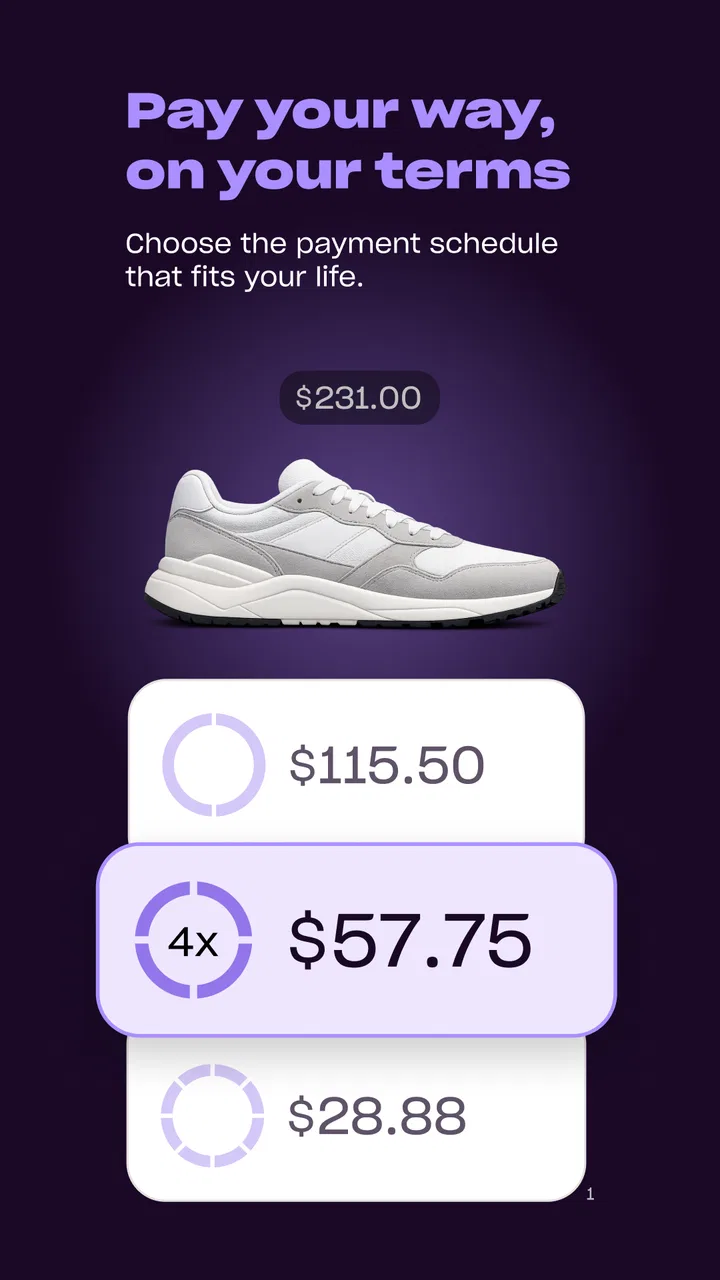
I found Zip most useful when I stopped thinking of it as a normal shopping app and started treating it as a payment tool that happens to sit beside my shopping routine. It is made by Zip, Co., is free to install, and belongs in the shopping category, but its real appeal is the option to spread a purchase across flexible payment terms wherever Visa is accepted. That can make an awkward household purchase easier to organize, although it also requires more attention than simply paying with a debit card.
In my experience, the app makes the most sense for someone who already knows what they want to buy and wants another way to manage the payment. It is less compelling for a person who mainly wants product discovery, price comparison, coupons, or a shared family shopping list. Zip is focused on the transaction rather than the entire shopping journey, and that distinction matters when deciding whether it deserves a place on your phone.
How Zip fits into a shared household purchase
A realistic example is a household replacing a useful item at an inconvenient time: a small appliance stops working, a school-related purchase arrives unexpectedly, or several ordinary essentials need to be bought together. One person may do the browsing, another may be responsible for the account, and everyone may need to agree on the timing. In that situation, Zip can help the account holder handle the payment without requiring every person in the home to use the same shopping account.
You May Also Like

 Blood Strike: 2.5 Anniversary
Blood Strike’s Loadouts Turn Every Drop Into a Tactical Gamble
A close look at Blood Strike’s custom loadouts: how fast access to signature weapons reshapes its battle royale rhythm, rewards preparation, and narrows the gap between fights.

 Pandora - Music & Podcasts
Pandora’s Music Is Easy to Start, but Harder to Recover
Pandora’s strength is its low-effort path from a seed to a station. Its weak spot is how much confidence it asks you to place in connection, setup, and quiet recovery.

 8 Ball Pool
 Is Built on Rivalries, Rematches, and Routine
A close look at the rivalries, rematches, shared routines, and unanswered safety questions that turn a quick pool match into a persistent mobile community.

 Samsung Music
’s Quiet Strength Is Playing What You Already Own
Its reach comes less from spectacle than from dependable access to a personal library. That simplicity is both the app’s strongest retention engine and its ceiling.

 AccuWeather: Weather Radar
AccuWeather Review: A Quick, Clear Forecast for Everyday Decisions
For everyday plans, the best forecast is the one you can understand quickly. AccuWeather makes rain timing, radar, and local conditions easy to act on, with a few trade-offs.

 Hill Climb Racing
Why Hill Climb Racing Still Turns Crashes Into One More Run
A tiny car, a bumpy hill and one more upgrade: Hill Climb Racing keeps resurfacing because its simple chaos makes every near-miss feel personal.
More From Our News Desk
View All News


The important boundary is that Zip does not turn a shared device into a shared financial account. I would keep the app signed in only on a phone that the responsible adult controls. A partner can help compare products on the retailer’s website or app, but I would not hand over an unlocked payment screen casually. The convenience of a quick checkout is not a reason to blur who is authorizing a purchase.
This is especially relevant when a tablet or phone is used by several people. A child might browse, a teenager might suggest an item, and an adult might complete the purchase. That arrangement can work, but only if the adult treats the final review as a separate step. I would check the retailer, the item, the total, and the payment schedule before confirming rather than assuming that the person who found the product should also control the transaction.
My strongest practical tip is to separate browsing from approval. Let household members collect ideas wherever they normally shop, then have the account holder open Zip and make the final decision. This avoids accidental purchases and makes it clear that flexible payment is a financial choice, not just another button in a shopping flow.
What the first setup feels like
The initial setup is not something I would rush through while standing in a checkout queue. A payment app needs accurate personal and account information, and the person using it should understand which account belongs to them before attempting a purchase. In a household, that means choosing one primary user rather than creating an informal arrangement where several people take turns entering details.
I also recommend setting expectations before the first shared purchase. Decide who may suggest items, who checks the final total, and who is responsible for remembering the repayment schedule. Zip can make the immediate checkout feel manageable, but it does not remove the underlying obligation. If nobody knows who is monitoring the payment, the household has created confusion rather than convenience.
Because Zip is free to download, the barrier to trying it is low. That is useful, but it can also encourage a casual installation-and-purchase mindset. I would install it only when I have a specific reason to use flexible payment terms, not simply because a shopping app is free. The right question is whether the payment arrangement suits the purchase, not whether the app costs anything to install.
The app supports devices running Android 8.1 or later, which makes it accessible on many phones that are not brand new. I still prefer using it on a personal device with a current system and a screen lock. That is not a special Zip feature; it is basic protection for any app connected to shopping and payment activity.
Coordinating purchases without losing track
Zip works best in a household when it has one clear job. For example, I might use it for a planned purchase that several people have discussed, while ordinary groceries and small daily expenses continue through the payment method we normally use. Mixing every kind of spending into one flexible-payment routine makes it harder to see which commitments are essential and which were impulse decisions.
Before confirming, I would write down the purchase in the household budget and note who agreed to it. That small habit is more valuable than trying to remember everything from notifications or browsing history. If the item is shared, record it as a shared expense; if it belongs to one person, make that clear. The app handles the payment process, but the household still needs its own simple record.
This approach also helps when two adults coordinate from different devices. One person can send the product details through the household’s usual messaging method, while the account holder reviews the purchase independently in Zip. I would avoid sharing login credentials or payment details just to make coordination faster. A few extra seconds of confirmation is preferable to giving another person unrestricted access.
Another useful trade-off is deciding when not to use flexible terms. If the household already has several upcoming payments, adding another scheduled obligation may make the month harder to manage even if the individual purchase appears affordable. I see Zip as a planning option, not permission to enlarge the shopping budget. The app is most helpful when it changes timing without changing what the household can realistically afford.
Compared with a conventional shopping app, Zip is narrower but more directly connected to the payment decision. A retailer’s own app may be better for loyalty benefits, order history, delivery updates, and product support. A bank card may be simpler for someone who wants one familiar payment method and no additional repayment routine. Zip is the better fit when the flexible structure is the reason for choosing it; otherwise, the usual method may involve less mental administration.
Age, trust, and who should control the account
The app carries an Everyone content rating, but that should not be confused with independent financial access for every member of a household. The age label describes the app’s general content suitability, not whether a young person should make payment decisions. I would keep the account with the adult who understands the household budget and can review the obligations.
For teenagers, I would use Zip as a conversation starter rather than a shortcut. They can explain why an item is needed, compare alternatives, and ask whether the timing makes sense. The adult can then decide whether to complete the purchase. This preserves participation without pretending that a flexible payment option is the same as free money.
Trust also matters between adults. If a partner uses the same phone, I would still avoid leaving the app open at a checkout screen. Shared household finances do not require shared credentials. Each person should know which purchases are being made and who is responsible for monitoring them, but that can be achieved through clear communication rather than unrestricted access to the account.
One limitation I noticed in this kind of household arrangement is that coordination depends heavily on personal discipline. Zip may simplify the payment moment, but it cannot settle disagreements about whether an item is necessary, decide how costs should be divided, or remind a family to discuss a purchase before it happens. If those are the main problems you are trying to solve, a budgeting or shared-expense tool may be a better companion.
Using the app at checkout with fewer surprises
When I use a flexible-payment service, I slow down at the point where the purchase becomes real. I check that I am at the intended retailer, confirm the item and quantity, and read the payment information presented before approving. The phrase “pay anywhere Visa is accepted” makes the service sound broad, but broad acceptance does not mean every checkout will feel identical. The retailer’s own flow can affect how smooth the experience is.
I would also keep the store’s return process in mind. If a household purchase is returned, the practical follow-up may involve both the retailer and the payment arrangement. That is why I save the order confirmation and keep the person who made the purchase involved until the transaction is fully resolved. A shared device can make the original order easy, but it can make aftercare confusing if nobody remembers which account was used.
For a planned purchase, I prefer to review the payment schedule when I am calm rather than at the end of a long shopping session. This is one of the less obvious advantages of treating Zip as a separate financial step: it encourages me to inspect the commitment instead of mentally grouping it with the product’s price. The total cost and the timing of payments deserve equal attention.
The app’s current version is 1.242.1, and its wide adoption suggests that many shoppers are comfortable with the general idea. It has an average rating of 4.8 from around 101 thousand ratings, with more than 5 million installs. Those figures make it easier to take the app seriously as an established shopping option, but they do not replace my own judgment about whether its payment style suits a particular household.
I would not choose Zip for someone who wants the absolute simplest possible purchase routine. Paying directly with an existing card can be easier to understand, especially for small everyday items. I would also hesitate if the household tends to forget scheduled commitments, treats available payment flexibility as extra income, or has no agreed process for shared purchases. In those cases, the app’s convenience may amplify an existing problem.
Where Zip is genuinely useful
Its strongest use case is a planned purchase where the buyer wants flexibility and is willing to monitor the resulting obligation. That might be a household item, a personal purchase, or something bought from a retailer that accepts Visa. The value is not that the product becomes cheaper; the value is that the payment timing may fit the buyer’s circumstances better.
I also like the possibility of keeping shopping research separate from payment execution. A family can compare products through ordinary retailer apps, discuss the choice in person, and use Zip only after reaching a decision. This reduces the temptation to browse inside a payment context and buy simply because the checkout feels convenient.
For a couple sharing expenses, I would establish a simple rule: no purchase through the app without a message or conversation when the item affects the shared budget. For a parent and older teenager, I would use a similar rule with an adult approval step. These are not built-in family controls; they are household agreements that make the app safer and easier to understand.
The app is also approachable for someone who does not want to manage a separate retailer-specific payment arrangement at every store. Since Zip is designed around use at places where Visa is accepted, it can feel more consistent than collecting several unrelated store payment options. Still, I would not assume that consistency removes the need to inspect each checkout carefully.
Where another option may be better
A traditional credit card may be preferable for someone who already has a clear budget, understands its billing cycle, and values a single statement. A debit card may be better for people who want the purchase to leave their available balance immediately. A retailer’s own app may win when the main goal is delivery tracking, loyalty rewards, or customer support rather than payment flexibility.
A shared budgeting app can also be more useful for a household that struggles with coordination. It may provide a clearer place to discuss categories, assign responsibility, and see recurring commitments. Zip should not be expected to replace that kind of planning. Its job is much more focused, and that focus is both its advantage and its limitation.
I would skip it for impulse shopping. The ability to divide a payment can make a purchase feel less immediate, which is precisely why I think it needs a deliberate pause. If I would not buy the item with the full cost in mind, I would not use flexible terms to make the decision feel easier. That is the central discipline required by the app.
My household verdict
After using Zip as a shopping payment tool, I see it as a practical option for a clearly defined buyer, not a universal replacement for cards or retailer apps. It is free, available to a broad range of Android devices, and built by Zip, Co. Its strong 4.8 average and community of roughly 101 thousand ratings show that it has earned substantial user attention, while its 5 million-plus installs place it well beyond a niche experiment.
For a household, I would recommend it only with boundaries: one accountable account holder, adult review before approval, no shared credentials, and a written note of the payment commitment. Those habits answer the questions that the checkout itself cannot answer: who authorized the purchase, who is monitoring it, and whether the household can comfortably handle the timing.
My final view is positive but measured. Zip can make a planned purchase easier to coordinate when flexible payment terms are genuinely useful. It is not a budgeting system, a family-control tool, or a substitute for discussing money. If you approach it as a focused payment option and keep the household rules clear, it can fit neatly into a shared shopping routine. If you want the least complicated way to pay, your existing card or bank method may still be the better choice.
FAQs for Zip
01What is Zip, and how does it work?
Zip is a mobile application designed to help users manage and compress files efficiently on their Android or iOS devices. It allows users to zip and unzip files, making it easier to share large files or save storage space. The app supports various file formats and offers a user-friendly interface for seamless navigation.
02Is Zip safe to use for storing sensitive information?
Yes, Zip employs encryption to ensure that your files are securely protected while being compressed or decompressed. However, it's always recommended to use additional security measures, such as password protection, for sensitive files to enhance safety. Always download the app from trusted sources to avoid security risks.
03Does Zip support cloud storage integration?
Yes, Zip offers integration with popular cloud storage services like Google Drive, Dropbox, and OneDrive. This feature allows users to directly upload, download, and manage their compressed files in the cloud, providing flexibility and efficiency for managing large volumes of data across multiple platforms.
04Are there any file size limitations when using Zip?
Zip does not impose strict file size limitations for compression. However, the effectiveness and speed of the compression process may vary depending on your device's hardware capabilities and available storage space. For extremely large files, ensure your device has enough space to handle the temporary files created during compression.
05Does Zip offer any additional features besides file compression?
Apart from file compression and decompression, Zip includes features like file encryption, password protection, and the ability to preview files before extraction. It also supports batch processing, making it easier to handle multiple files simultaneously, and offers customization options for compression levels to balance quality and file size.
Pros
- User-friendly interface for all levels.
- Quick file compression and extraction.
- Supports a wide range of file formats.
- Secure encryption for sensitive files.
- Efficient file management tools.
Cons
- Ads can be intrusive at times.
- Limited features in free version.
- Occasional lag on older devices.
- In-app purchases can get pricey.
- No cloud integration for backups.

Zip
Gallery